Step 1 — iPad 3G Teardown 
-
The much awaited iPad 3G is finally in the hands of iFixit!
-
The Wi-Fi + 3G iPad. We got a sneak peak of the internals of this tablet a month ago by poking around on the FCC's database.
-
The 3G iPad is visually distinguished from its Wi-Fi-only sibling by a black plastic RF window.
-
The 3G iPad supports UMTS/HSDPA on 850, 1900, and 2100 MHz and GSM/EDGE on 850, 900, 1800, and 1900 MHz.
-
In a dramatic shift for Apple, the iPad is unlocked, and not tied down to a specific carrier.
-
Alas, in the US, AT&T is the only carrier that operates 3G on frequencies the iPad supports. T-Mobile should work, but only on the slower EDGE network.

 Edit Step 2 
-
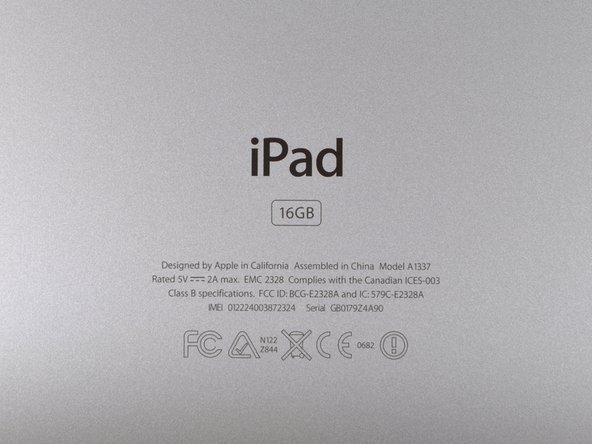
The iPad's model number is A1337 as previously suggested by the FCC filing. Yes, we think that's l33t.
-
There's no use wasting anymore time, let's see what makes this puppy growl.
-
We'll be comparing the internals of this production unit to the preproduction FCC photos we exclusively unveiled a month ago.
Edit Step 3 
-
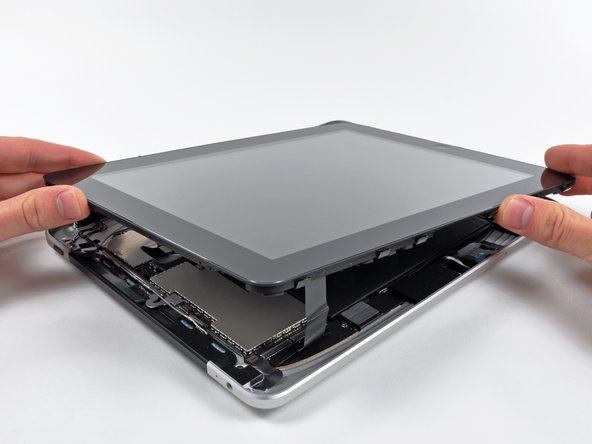
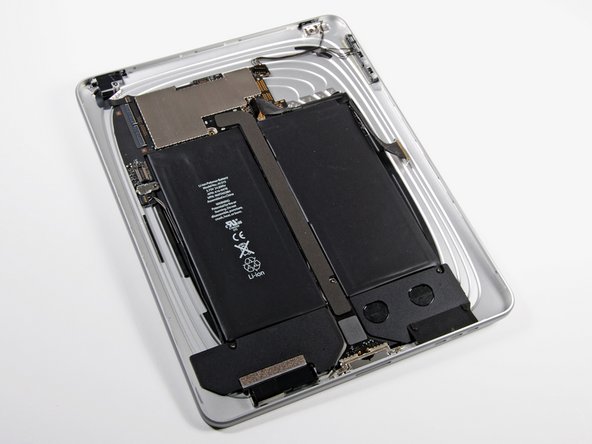
After some careful prying around with a metal spudger, the display assembly can be removed from the rear case.
-
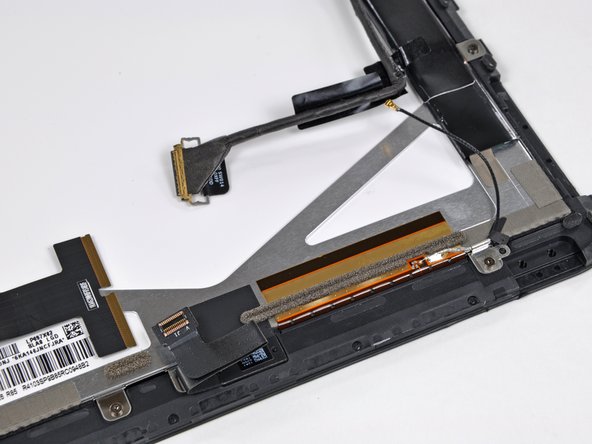
Due to the addition of 3G connectivity, there's an extra antenna cable that must be disconnected before the two halves are free.




Edit Step 5 
-
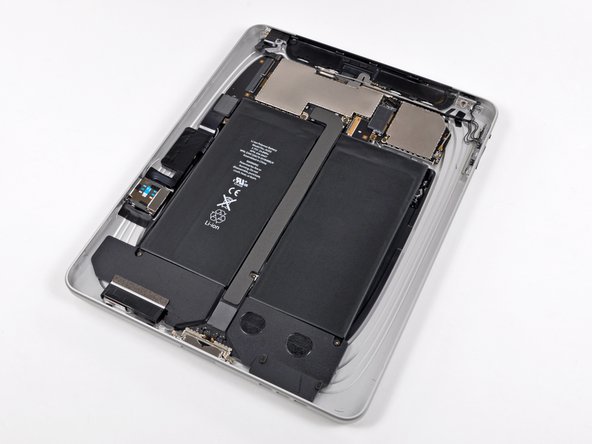
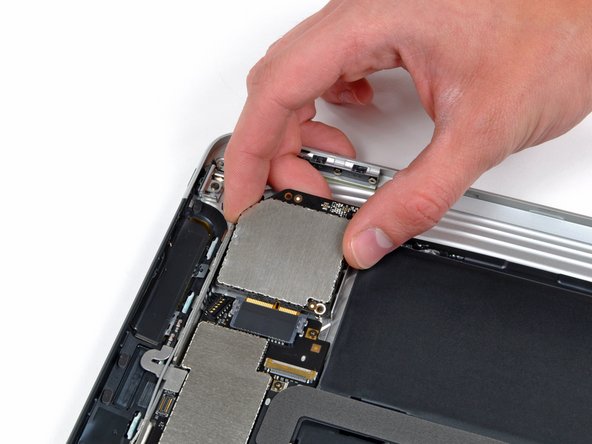
Pry up the antenna on the communications board with a plastic opening tool. This is one of two antennas on the communications board.
-
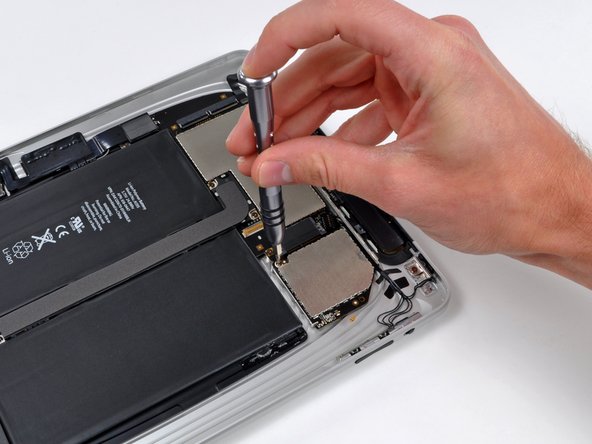
The communications board is secured by T4 Torx screws.
-
Upon removing the screws, the communications board slides out of its socket on the logic board. The connection socket style is similar to a Mini PCI Express card.


Edit Step 6 
-
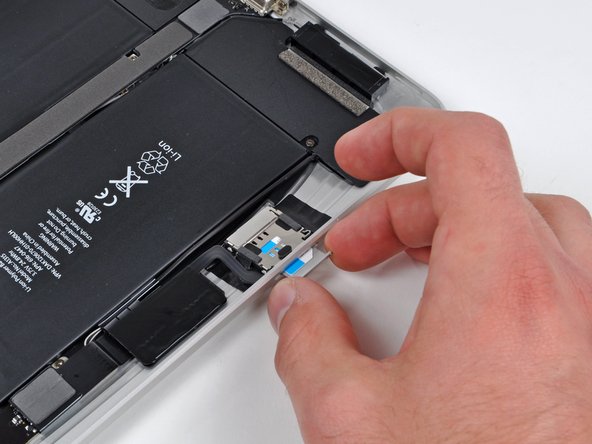
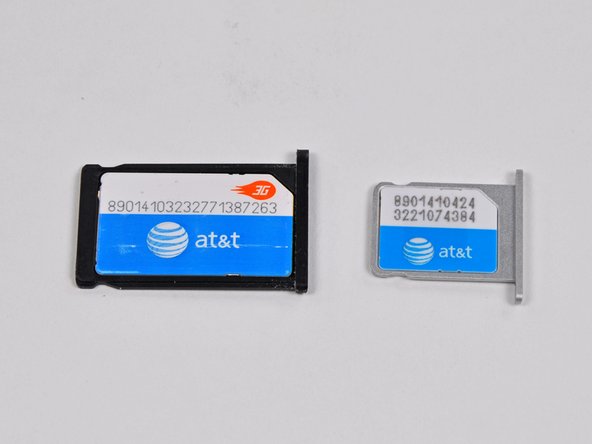
Removing the micro-SIM card. That's a really small SIM card!
-
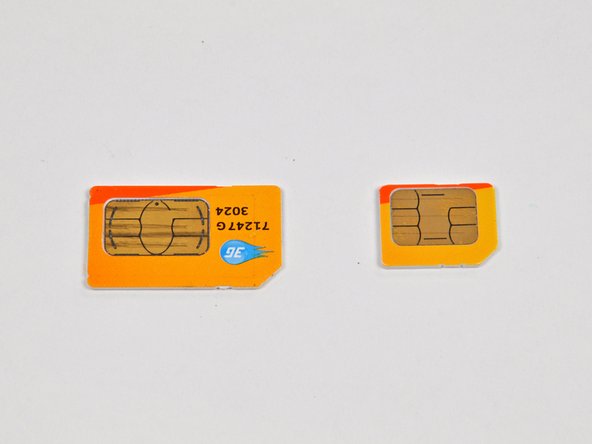
The iPad's SIM card measures 12mm x 15mm. That's just under half the size of the standard size SIM card from an iPhone 3GS.
-
You could cut up a full-size SIM card and turn it into a Micro-SIM. The contacts are fully compatible.